
Did you know that a secure website ranks better on Google, loads faster, and builds instant trust with your visitors? Today, having an SSL certificate (the little padlock icon next to your URL) is no longer optional—it is a fundamental requirement for any online project.
We want to remind all our valued customers that every single hosting plan on our platform includes 100% Free SSL Certificates via Let's Encrypt. You do not need to pay extra yearly fees to protect your data and your users.
If your website is still showing the dreaded "Not Secure" warning, you can activate your free certificate in less than two minutes directly from your panel.
How to Activate Your Free SSL in 3 Simple Steps:
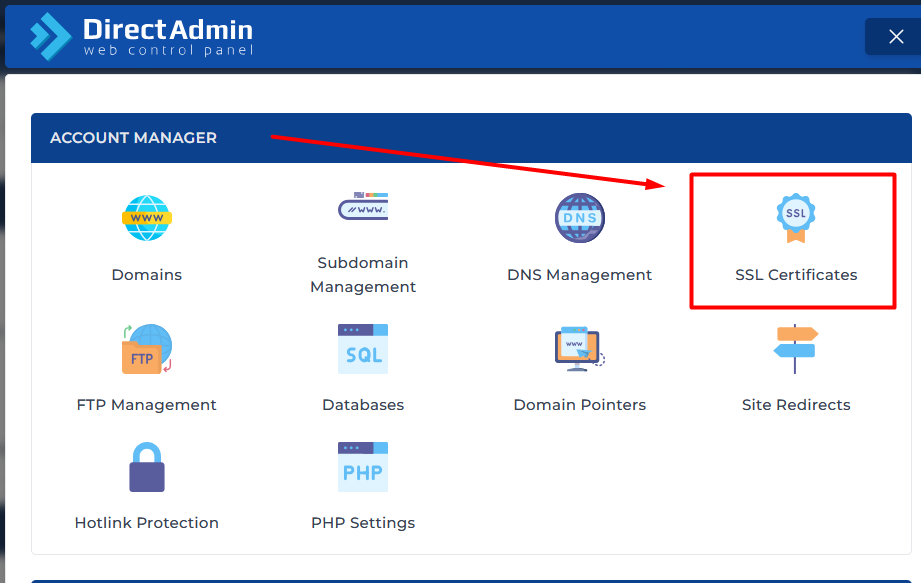
1. Access the SSL Area: Log into your DirectAdmin control panel. Navigate to the Account Manager section and click on SSL Certificates.
2. Select Let's Encrypt: Choose the Let's Encrypt tab. Select your primary domain and ensure you check the boxes for your subdomains (especially the
www. version of your site).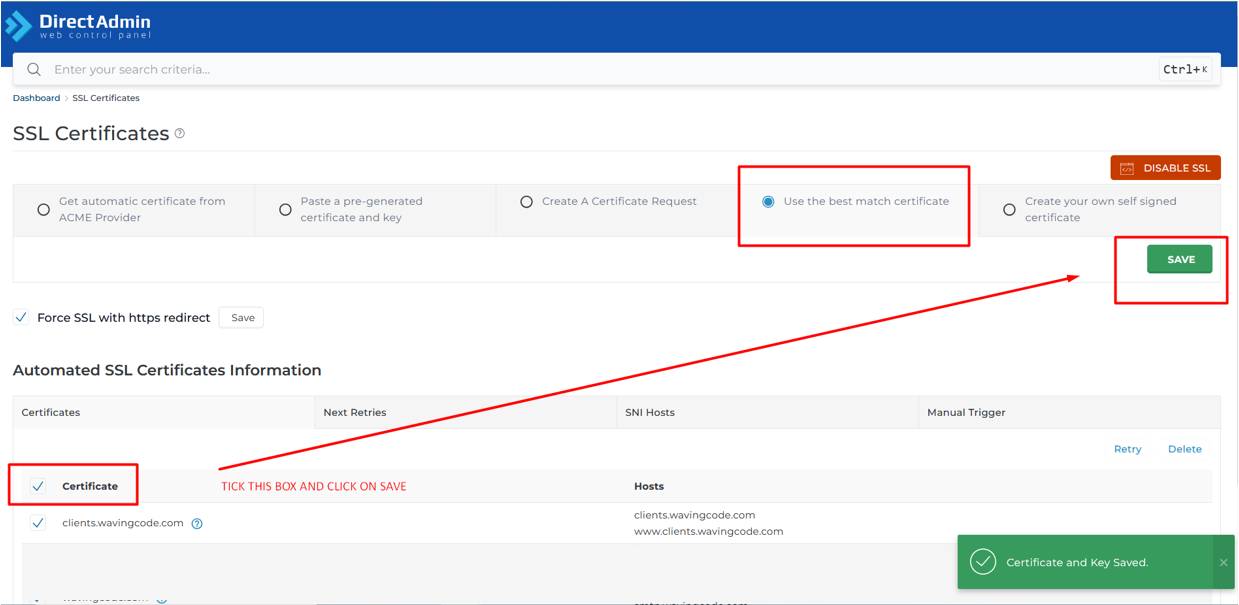
3. Save and Apply: Leave the remaining settings as default and click the blue Save button at the bottom of the page. The system will communicate with Let's Encrypt and install the certificate automatically.
✨Pro Tip: Force HTTPS Redirection
Once installed, you will want all your visitors to automatically go to the secure version (
https://). You can easily force this redirection by checking the "Force SSL with https redirect" option right inside that same DirectAdmin SSL screen, or by using a free plugin if you are running WordPress (such as Really Simple SSL).If you encounter any issues during the activation process or need a more detailed step-by-step walkthrough, we have just published a full guide with extra tips in our Knowledgebase.
Don't leave your website unprotected—secure your domain today!
Bazar, Avqust 16, 2026